tajatrip › Typing game
A typing game where every word takes you somewhere
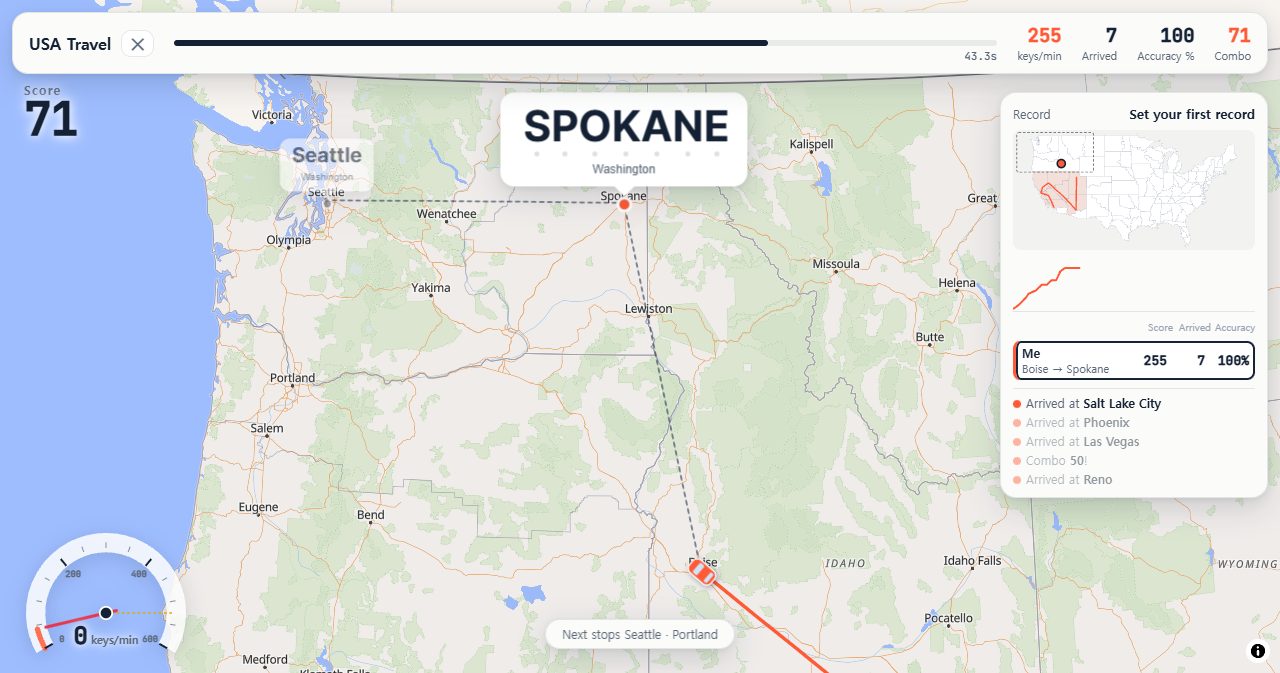
In tajatrip, the next stop’s name appears on a real map. Type it, press Space, and your car drives the actual roads there — or your plane flies the real route. One run is 60 seconds. The faster and cleaner you type, the farther you go.
How it works
- The name of your next stop appears in big letters on the map — for example Spokane, Phoenix or Salt Lake City.
- Type it and press Space to arrive. Capital letters don’t matter, and accents are typed as plain letters (São Paulo = sao paulo).
- Your car or plane travels there and the next name shows up right away. When the 60 seconds are up, you get a record card with your speed, accuracy and distance.
Mistakes show up on the word as you type. Your live speed (keys per minute), accuracy and combo stay at the top, and the speedometer shows how fast you’re typing right now. After the run, a speed graph shows where you slowed down.
Trips you can take
Pick a map in the lobby and you travel through its place names. Choose your starting point, or roll the dice.
Why it works as typing practice
- Real words, never the same drill. Place names are full of unusual letter patterns — Albuquerque, Ouagadougou, Reykjavík — so your fingers don’t settle into one rhythm.
- Accuracy counts. Wrong letters are marked on the spot, and only finished names score. Typing cleanly matters as much as typing fast.
- Short runs. Sixty seconds fits a break, a warm-up before class, or one more try.
- You pick up some geography. After a few runs you know where Boise is, and which way Phoenix lies from Las Vegas.
Records and rankings
Your best runs are saved in this browser without signing in. Sign in with Google to put your name on the leaderboards. Ranking scores count the keys of the names you finished, so your starting point and route luck don’t decide it.
Questions
- Is it free? Do I need to install anything?
- It’s free, with nothing to install and no account needed. Open tajatrip.com/en in Chrome, Edge, Safari or Firefox and start.
- Does it work on a Chromebook or a school computer?
- Yes. Any computer with a keyboard works best, Chromebooks included. The map needs WebGL to be enabled in the browser.
- Can I play on my phone?
- You can with the on-screen keyboard, but it’s most fun on a real keyboard.
- Can I play with friends?
- Create a room in the lobby and race the same route at the same time, or split into teams in Conquest and fight over the map.
- Is there a Korean or Japanese version?
- Yes — 한국어 (with Korea’s own roads) and 日本語 (type Japan’s place names in romaji).